leo 发布的文章
江苏电信itv组播地址
4K,http://192.168.31.199:4022/udp/239.49.8.38:8632
CCTV 少儿,http://192.168.31.199:4022/udp/239.49.0.14:8104
CCTV 新闻,http://192.168.31.199:4022/udp/239.49.0.13:8096
CCTV 音乐,http://192.168.31.199:4022/udp/239.49.0.15:8112
CCTV1,http://192.168.31.199:4022/udp/239.49.0.1:8000
CCTV10,http://192.168.31.199:4022/udp/239.49.0.10:8072
CCTV10HD,http://192.168.31.199:4022/udp/239.49.8.54:9818
CCTV11,http://192.168.31.199:4022/udp/239.49.0.11:8080
CCTV12,http://192.168.31.199:4022/udp/239.49.0.12:8088
CCTV12HD,http://192.168.31.199:4022/udp/239.49.8.55:9822
CCTV14HD,http://192.168.31.199:4022/udp/239.49.8.56:9826
CCTV1HD,http://192.168.31.199:4022/udp/239.49.8.19:9614
CCTV2,http://192.168.31.199:4022/udp/239.49.0.2:8008
CCTV2HD,http://192.168.31.199:4022/udp/239.49.8.50:9802
CCTV3,http://192.168.31.199:4022/udp/239.49.0.3:9566
CCTV4,http://192.168.31.199:4022/udp/239.49.0.4:8024
CCTV4HD,http://192.168.31.199:4022/udp/239.49.8.51:9806
CCTV5,http://192.168.31.199:4022/udp/239.49.0.5:9570
CCTV5HD,http://192.168.31.199:4022/udp/239.49.8.18:9610
CCTV6,http://192.168.31.199:4022/udp/239.49.0.6:9574
CCTV7,http://192.168.31.199:4022/udp/239.49.0.7:8048
CCTV7HD,http://192.168.31.199:4022/udp/239.49.8.52:9810
CCTV8,http://192.168.31.199:4022/udp/239.49.0.8:9578
CCTV9HD,http://192.168.31.199:4022/udp/239.49.8.53:9814
CCTVNEWS,http://192.168.31.199:4022/udp/239.49.0.9:8064
CETV1,http://192.168.31.199:4022/udp/239.49.0.70:8552
CETV-1(HD),http://192.168.31.199:4022/udp/239.49.8.115:8000
CETV2,http://192.168.31.199:4022/udp/239.49.0.71:8560
世界地理,http://192.168.31.199:4022/udp/239.49.0.155:9234
东南卫视,http://192.168.31.199:4022/udp/239.49.0.61:8480
东南卫视(HD),http://192.168.31.199:4022/udp/239.49.8.112:8000
东方卫视,http://192.168.31.199:4022/udp/239.49.0.48:8376
东方卫视 HD,http://192.168.31.199:4022/udp/239.49.8.17:9606
中华美食,http://192.168.31.199:4022/udp/239.49.0.163:9298
举案说法,http://192.168.31.199:4022/udp/239.49.0.207:9526
休闲指南,http://192.168.31.199:4022/udp/239.49.0.213:9562
优漫卡通,http://192.168.31.199:4022/udp/239.49.0.21:8160
体坛风云,http://192.168.31.199:4022/udp/239.49.0.205:9518
体彩教育,http://192.168.31.199:4022/udp/239.49.0.128:9016
体彩玩法直播,http://192.168.31.199:4022/udp/239.49.0.111:8880
养生,http://192.168.31.199:4022/udp/239.49.0.199:9494
凤凰天下,http://192.168.31.199:4022/udp/239.49.0.197:9486
北京卫视,http://192.168.31.199:4022/udp/239.49.0.49:8384
北京卫视 HD,http://192.168.31.199:4022/udp/239.49.8.11:9414
华语片场,http://192.168.31.199:4022/udp/239.49.0.193:9470
南京十八,http://192.168.31.199:4022/udp/239.49.0.26:8200
南京教科,http://192.168.31.199:4022/udp/239.49.0.183:9434
南京新闻,http://192.168.31.199:4022/udp/239.49.0.25:8192
南京生活,http://192.168.31.199:4022/udp/239.49.0.184:9438
史海钩沉,http://192.168.31.199:4022/udp/239.49.0.198:9490
吉林卫视,http://192.168.31.199:4022/udp/239.49.0.65:8512
吉林卫视(HD),http://192.168.31.199:4022/udp/239.49.8.113:8000
四川卫视,http://192.168.31.199:4022/udp/239.49.0.59:8464
四川卫视(HD),http://192.168.31.199:4022/udp/239.49.8.110:8000
国防军事,http://192.168.31.199:4022/udp/239.49.0.160:9274
天津卫视,http://192.168.31.199:4022/udp/239.49.0.62:8488
天津卫视 HD,http://192.168.31.199:4022/udp/239.49.8.35:8620
央广购物,http://192.168.31.199:4022/udp/239.49.0.110:9014
央视怀旧剧场,http://192.168.31.199:4022/udp/239.49.0.157:9250
央视精品,http://192.168.31.199:4022/udp/239.49.0.156:9242
女性时尚,http://192.168.31.199:4022/udp/239.49.0.159:9266
好享购物,http://192.168.31.199:4022/udp/239.49.0.148:9178
娱乐秀场,http://192.168.31.199:4022/udp/239.49.0.203:9510
学习频道,http://192.168.31.199:4022/udp/239.49.0.210:8884
安徽卫视,http://192.168.31.199:4022/udp/239.49.0.52:8408
寰宇纪实,http://192.168.31.199:4022/udp/239.49.0.201:9502
山东卫视,http://192.168.31.199:4022/udp/239.49.0.53:8416
山东卫视 HD,http://192.168.31.199:4022/udp/239.49.8.7:9306
山西卫视,http://192.168.31.199:4022/udp/239.49.0.67:8528
广东卫视,http://192.168.31.199:4022/udp/239.49.0.55:8432
广东卫视 HD,http://192.168.31.199:4022/udp/239.49.8.13:9422
广西卫视,http://192.168.31.199:4022/udp/239.49.0.56:8440
快乐垂钓,http://192.168.31.199:4022/udp/239.49.0.114:8000
快乐购物,http://192.168.31.199:4022/udp/239.49.0.144:9370
搏击俱乐部,http://192.168.31.199:4022/udp/239.49.0.121:9972
旅游卫视,http://192.168.31.199:4022/udp/239.49.0.57:8448
时尚女人,http://192.168.31.199:4022/udp/239.49.0.208:9530
江苏体育休闲,http://192.168.31.199:4022/udp/239.49.0.19:8144
江苏公共新闻,http://192.168.31.199:4022/udp/239.49.0.149:9186
江苏卫视,http://192.168.31.199:4022/udp/239.49.0.16:8120
江苏卫视 HD,http://192.168.31.199:4022/udp/239.49.8.16:9602
江苏国际,http://192.168.31.199:4022/udp/239.49.0.22:8168
江苏城市,http://192.168.31.199:4022/udp/239.49.0.17:8128
江苏导视,http://192.168.31.199:4022/udp/239.49.0.190:9458
江苏导视 HD,http://192.168.31.199:4022/udp/239.49.8.34:8612
江苏影视,http://192.168.31.199:4022/udp/239.49.0.20:8152
江苏教育,http://192.168.31.199:4022/udp/239.49.0.23:8176
江苏综艺,http://192.168.31.199:4022/udp/239.49.0.18:8136
江西卫视,http://192.168.31.199:4022/udp/239.49.0.63:8496
江西卫视(HD),http://192.168.31.199:4022/udp/239.49.8.111:8000
河北卫视(HD),http://192.168.31.199:4022/udp/239.49.8.114:8000
河南卫视,http://192.168.31.199:4022/udp/239.49.0.60:8472
浙江卫视,http://192.168.31.199:4022/udp/239.49.0.50:8392
浙江卫视 HD,http://192.168.31.199:4022/udp/239.49.8.20:9618
深圳卫视,http://192.168.31.199:4022/udp/239.49.0.100:8788
深圳卫视 HD,http://192.168.31.199:4022/udp/239.49.8.15:9430
游戏达人,http://192.168.31.199:4022/udp/239.49.0.209:9534
湖北卫视,http://192.168.31.199:4022/udp/239.49.0.64:8504
湖北卫视 HD,http://192.168.31.199:4022/udp/239.49.8.8:9632
湖南卫视,http://192.168.31.199:4022/udp/239.49.0.54:8424
湖南卫视 HD,http://192.168.31.199:4022/udp/239.49.8.12:9418
火爆片场,http://192.168.31.199:4022/udp/239.49.0.192:9466
生活剧场,http://192.168.31.199:4022/udp/239.49.0.194:9474
电视指南,http://192.168.31.199:4022/udp/239.49.0.161:9282
直播室1,http://192.168.31.199:4022/udp/239.49.8.62:9350
看新闻吧,http://192.168.31.199:4022/udp/239.49.0.191:9462
空中课堂,http://192.168.31.199:4022/udp/239.49.0.72:8568
第一剧场,http://192.168.31.199:4022/udp/239.49.0.44:8000
谈股论金,http://192.168.31.199:4022/udp/239.49.0.206:9522
谍战悬疑,http://192.168.31.199:4022/udp/239.49.0.196:9482
财富天下,http://192.168.31.199:4022/udp/239.49.0.166:9322
贵州卫视,http://192.168.31.199:4022/udp/239.49.0.68:8536
贵州卫视(HD),http://192.168.31.199:4022/udp/239.49.8.49:8000
超炫动漫,http://192.168.31.199:4022/udp/239.49.0.200:9498
辽宁卫视,http://192.168.31.199:4022/udp/239.49.0.51:8400
辽宁卫视 HD,http://192.168.31.199:4022/udp/239.49.8.48:8000
辽宁游戏竞技,http://192.168.31.199:4022/udp/239.49.0.162:9290
重庆卫视,http://192.168.31.199:4022/udp/239.49.0.58:8456
重庆卫视 HD,http://192.168.31.199:4022/udp/239.49.8.57:9830
金庸武侠,http://192.168.31.199:4022/udp/239.49.0.195:9478
铁血军事,http://192.168.31.199:4022/udp/239.49.0.202:9506
随音听乐,http://192.168.31.199:4022/udp/239.49.0.204:9514
青海卫视,http://192.168.31.199:4022/udp/239.49.0.69:8544
靓妆频道,http://192.168.31.199:4022/udp/239.49.0.150:9194
风云剧场,http://192.168.31.199:4022/udp/239.49.0.152:9210
风云足球,http://192.168.31.199:4022/udp/239.49.0.153:9218
风云音乐,http://192.168.31.199:4022/udp/239.49.0.151:9202
高尔夫网球,http://192.168.31.199:4022/udp/239.49.0.154:9226
高频彩票,http://192.168.31.199:4022/udp/239.49.0.127:9008
黑龙江卫视,http://192.168.31.199:4022/udp/239.49.0.66:8520
黑龙江卫视 HD,http://192.168.31.199:4022/udp/239.49.8.14:9426
gfwlist
KVM DS
<!--
WARNING: THIS IS AN AUTO-GENERATED FILE. CHANGES TO IT ARE LIKELY TO BE
OVERWRITTEN AND LOST. Changes to this xml configuration should be made using:
  virsh edit DS-KVM
or other application using the libvirt API.
-->

<domain type='kvm'>
  <name>DS-KVM</name>
  <uuid>cb149f51-68f5-49c2-8ce5-9f839696d2b8</uuid>
  <memory unit='KiB'>3145728</memory>
  <currentMemory unit='KiB'>3145728</currentMemory>
  <vcpu placement='static'>3</vcpu>
  <os>
    <type arch='x86_64' machine='pc-i440fx-xenial'>hvm</type>
  </os>
  <features>
    <acpi/>
    <apic/>
  </features>
  <cpu mode='host-model'>
    <model fallback='allow'/>
  </cpu>
  <clock offset='utc'>
    <timer name='rtc' tickpolicy='catchup'/>
    <timer name='pit' tickpolicy='delay'/>
    <timer name='hpet' present='no'/>
  </clock>
  <on_poweroff>destroy</on_poweroff>
  <on_reboot>restart</on_reboot>
  <on_crash>restart</on_crash>
  <pm>
    <suspend-to-mem enabled='no'/>
    <suspend-to-disk enabled='no'/>
  </pm>
  <devices>
    <emulator>/usr/bin/kvm-spice</emulator>
    <disk type='file' device='disk'>
      <driver name='qemu' type='raw'/>
      <source file='/home/leo/Desktop/KVM-6.1/boot_ds3615xs_15132_kvm.img'/>
      <target dev='sda' bus='usb'/>
      <boot order='1'/>
    </disk>
    <disk type='block' device='disk'>
      <driver name='qemu' type='raw' cache='none' io='native'/>
      <source dev='/dev/disk/by-id/ata-Hitachi_HDS5C3020BLE630_MCE7215W02MTUL'/>
      <target dev='hda' bus='ide'/>
      <address type='drive' controller='0' bus='0' target='0' unit='0'/>
    </disk>
    <disk type='block' device='disk'>
      <driver name='qemu' type='raw' cache='none' io='native'/>
      <source dev='/dev/disk/by-id/ata-ST3000DM008-2DM166_Z504E0KR'/>
      <target dev='hdb' bus='ide'/>
      <address type='drive' controller='0' bus='0' target='0' unit='1'/>
    </disk>
    <disk type='block' device='disk'>
      <driver name='qemu' type='raw' cache='none' io='native'/>
      <source dev='/dev/disk/by-id/ata-WDC_WD10EADS-22M2B0_WD-WCAV5F863007'/>
      <target dev='hdc' bus='ide'/>
      <address type='drive' controller='0' bus='1' target='0' unit='0'/>
    </disk>
    <controller type='usb' index='0' model='ich9-ehci1'>
      <address type='pci' domain='0x0000' bus='0x00' slot='0x05' function='0x7'/>
    </controller>
    <controller type='usb' index='0' model='ich9-uhci1'>
      <master startport='0'/>
      <address type='pci' domain='0x0000' bus='0x00' slot='0x05' function='0x0' multifunction='on'/>
    </controller>
    <controller type='usb' index='0' model='ich9-uhci2'>
      <master startport='2'/>
      <address type='pci' domain='0x0000' bus='0x00' slot='0x05' function='0x1'/>
    </controller>
    <controller type='usb' index='0' model='ich9-uhci3'>
      <master startport='4'/>
      <address type='pci' domain='0x0000' bus='0x00' slot='0x05' function='0x2'/>
    </controller>
    <controller type='pci' index='0' model='pci-root'/>
    <controller type='ide' index='0'>
      <address type='pci' domain='0x0000' bus='0x00' slot='0x01' function='0x1'/>
    </controller>
    <controller type='virtio-serial' index='0'>
      <address type='pci' domain='0x0000' bus='0x00' slot='0x04' function='0x0'/>
    </controller>
    <interface type='direct'>
      <mac address='00:11:32:2c:a7:85'/>
      <source dev='enp1s0' mode='bridge'/>
      <model type='virtio'/>
      <address type='pci' domain='0x0000' bus='0x00' slot='0x03' function='0x0'/>
    </interface>
    <serial type='pty'>
      <target port='0'/>
    </serial>
    <console type='pty'>
      <target type='serial' port='0'/>
    </console>
    <channel type='spicevmc'>
      <target type='virtio' name='com.redhat.spice.0'/>
      <address type='virtio-serial' controller='0' bus='0' port='1'/>
    </channel>
    <input type='mouse' bus='ps2'/>
    <input type='keyboard' bus='ps2'/>
    <graphics type='spice' autoport='yes'>
      <image compression='off'/>
    </graphics>
    <video>
      <model type='qxl' ram='65536' vram='65536' vgamem='16384' heads='1'/>
      <address type='pci' domain='0x0000' bus='0x00' slot='0x02' function='0x0'/>
    </video>
    <redirdev bus='usb' type='spicevmc'>
    </redirdev>
    <redirdev bus='usb' type='spicevmc'>
    </redirdev>
    <memballoon model='virtio'>
      <address type='pci' domain='0x0000' bus='0x00' slot='0x07' function='0x0'/>
    </memballoon>
  </devices>
</domain>
Ubuntu server 16.04 as a Hypervisor using KVM and Kimchi for VM Management
安卓8.1去叉号
adb shell settings put global captive_portal_https_url https://www.google.cn/generate_204删除Window10库
1.定位注册表地址:计算机\HKEY_LOCAL_MACHINE\SOFTWARE\Microsoft\Windows\CurrentVersion\Explorer\MyComputer\NameSpace
2.删除NameSpace下的7个子项,分别为:
{088e3905-0323-4b02-9826-5b99428e115f}/删除Downloads
{24ad3ad4-a569-4530-98e1-ab02f9417aa8}/删除图片
{3dfdf396-dbec-4fb4-81d1-6a3438bcf4de}/删除音乐
{B4BFCC3A-DB2C-424C-B029-7FE99A87C641}/删除桌面
{d3162b92-9365-467a-956b-92703aca08af}/删除文档
{f86fa3ab-70d2-4fc7-9c99-fcbf05467f3a}/删除视频
{0DB7E03F-FC29-4DC6-9020-FF41B59E513A}/删除3D Objects
作者:cexowksywfnh
链接:https://www.zhihu.com/question/36183497/answer/252730245
来源:知乎
读书年
休息两年,努力读书
How To Sync Time Between Linux And Windows Dual Boot
HKEY_LOCAL_MACHINE\SYSTEM\CurrentControlSet\Control\TimeZoneInformation
New >> DWORD(32 bit) Value
重命名为 RealTimeIsUniversal 并设置值为 1
原文链接:http://www.theitstuff.com/how-to-sync-time-between-linux-and-windows-dual-boot-2
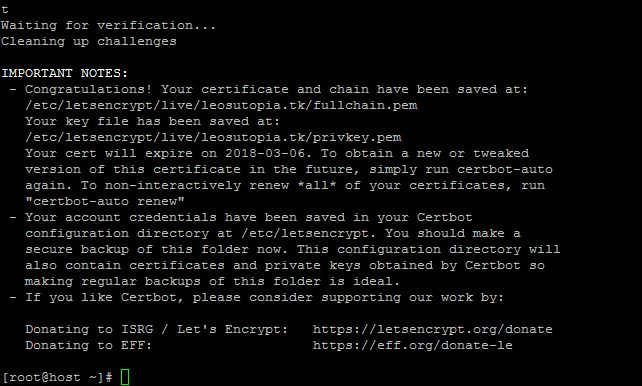
let's encrypt